Český Microsoft dnes potvrdil nativní office 2013 pro iOS. Termín vydání je březen 2013.
Zdroj: http://tech.ihned.cz/c3-57854910-040000 ... roid-a-ios
Office Mobile for Office 365 subscribers [AppStore, FREE]
Chat fóra: a nikdo. Vstup do diskuze online
Pravidla fóra
V tejto sekcií uverejňujte informácie o zaujímavých aplikáciách. Váš príspevok by mal obsahovať názov aplikácie, popis, screenshoty či video a zdroj. Pred otvorením novej témy si overte vyhľadaním už existujúce vlákno o aplikácií, o ktorej chcete diskutovať.
V tejto sekcií uverejňujte informácie o zaujímavých aplikáciách. Váš príspevok by mal obsahovať názov aplikácie, popis, screenshoty či video a zdroj. Pred otvorením novej témy si overte vyhľadaním už existujúce vlákno o aplikácií, o ktorej chcete diskutovať.
Příspěvků: 21
• Stránka 1 z 1
mrzic | stř říj 10, 2012 3:10 pm
MS Office 2013 pro iOS
MacBook Pro 2018 Touch Bar, macOS 10.15
iPhone X, iOS 13
Apple Watch 4 Nike+, watchOS 6
Apple TV4
iPhone X, iOS 13
Apple Watch 4 Nike+, watchOS 6
Apple TV4
- iPhone expert

- Příspěvky: 2249
- Registrován:
ned dub 20, 2008 2:18 pm
 Xtr3m | stř říj 10, 2012 9:42 pm
Re: MS Office 2013 pro iOS
Microsoft reaguje na zprávy o Office pro iOS: „Informace poskytnuté naší českou pobočkou nejsou přesné. V tuto chvíli nemůžeme sdělit více.“
Znamená to tedy, že se patrně v březnu 2013 ještě mobilní verze Office nedočkáme. Pravděpodobně si budeme muset počkat ještě o něco déle.
Jablíčkář.cz - Apple magazín, Facebook.com
Znamená to tedy, že se patrně v březnu 2013 ještě mobilní verze Office nedočkáme. Pravděpodobně si budeme muset počkat ještě o něco déle.
Jablíčkář.cz - Apple magazín, Facebook.com
Game Center: X-tr3mek
Apple iPhone 5s 32GB, iOS 9.1, Space Grey
MacBook Pro Retina Mid 2014 8GB/256GB, OS X 10.11.1 El Capitan
Apple iPhone 5s 32GB, iOS 9.1, Space Grey
MacBook Pro Retina Mid 2014 8GB/256GB, OS X 10.11.1 El Capitan
- Host

- Příspěvky: 105
- Registrován:
čtv zář 22, 2011 8:12 pm - Bydliště: Palm
 rony | stř říj 10, 2012 9:58 pm
Re: MS Office 2013 pro iOS
nebudte z toho vzruseni, celkom iste pojde o pre ios prisposobena webverzia toho co niektori poznaju ako 365. kto nepozna, tak to iste ma aj google docs.
takze ziadne nadsenie, ani samotny ms nedokaze pre ios spravit pre vas takzvane kompatibilny office. to je uplne nemozne :-) to len pre ludi, ktori sa uz neodovodne tesia :-) trosku sklamania :-))
takze ziadne nadsenie, ani samotny ms nedokaze pre ios spravit pre vas takzvane kompatibilny office. to je uplne nemozne :-) to len pre ludi, ktori sa uz neodovodne tesia :-) trosku sklamania :-))
/\/\ /\ > /\ / Facebook skupina Uživatelé Apple Watch a fb.com/forum.iphone.cz
mba i7 iPhone 4 5S X iPad Pro Pencil TV4 HomePod WATCH AirPods
mba i7 iPhone 4 5S X iPad Pro Pencil TV4 HomePod WATCH AirPods
- Klub čistého iOS

- Příspěvky: 18993
- Registrován:
pát pro 14, 2007 12:37 am - Bydliště: mám niekde
 vbruno | čtv říj 11, 2012 7:29 am
Re: MS Office 2013 pro iOS
Proč nedokáže?
Jinak mezi námi jsem byl teď celkem zklamaný, když jsem chtěl tabulku z Numbers vytvořenou v iPadu upravit v Macu. Vše vypadalo dobře až do chvíle, kdy jsem zjistil, že OSX verze nepracuje s formuláři a místo aby ho v dokumentu alespoň nechal, smazal ho a updatoval na všech zařízeních. Takže by se o té kompatibilitě dalo velice dobře polemizovat , a to u docela elementárních funkcí.
Jinak mezi námi jsem byl teď celkem zklamaný, když jsem chtěl tabulku z Numbers vytvořenou v iPadu upravit v Macu. Vše vypadalo dobře až do chvíle, kdy jsem zjistil, že OSX verze nepracuje s formuláři a místo aby ho v dokumentu alespoň nechal, smazal ho a updatoval na všech zařízeních. Takže by se o té kompatibilitě dalo velice dobře polemizovat , a to u docela elementárních funkcí.
::: iPhone 5S 16GB Space Grey :: iPad 2 32GB 3G :: MacBook Pro 13'' 2011 :: Apple TV 3 :::
- iPhone expert
- Příspěvky: 1145
- Registrován:
stř čer 11, 2008 7:52 am
mrzic | pát čer 14, 2013 12:25 pm
Office Mobile for Office 365 subscribers [AppStore, FREE]
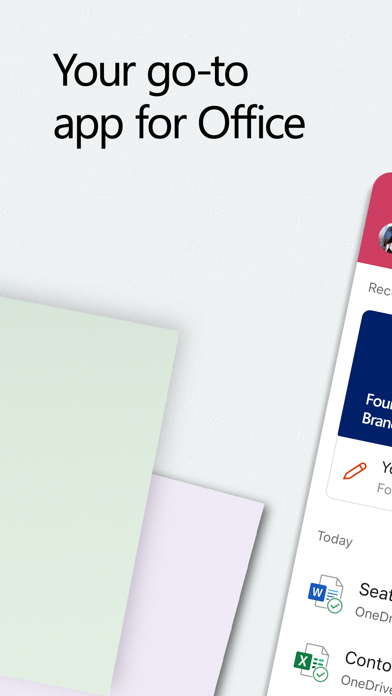
Microsoft vydal dlouho slibovanou verzi MS Office pro iOS. Zatím pouze pro iPhone a jen pro předplatitele Office 365


Requirements:
* An Office 365 subscription is required to use this app.
* Compatible with iPhone 4, 4S, and 5, iPod Touch 5th Generation. Requires iOS 6.1 or later.
* Microsoft Office 2013 on a PC is needed for features like recent documents and resume reading.
**Office 365 account and setup necessary. Data connection required. Storage limits and carrier fees apply.
zdroj: http://smartmania.cz/bleskovky/office-p ... ezeni-5107
https://itunes.apple.com/us/app/office- ... 64041?mt=8


VÍCE O APLIKACI

Requirements:
* An Office 365 subscription is required to use this app.
* Compatible with iPhone 4, 4S, and 5, iPod Touch 5th Generation. Requires iOS 6.1 or later.
* Microsoft Office 2013 on a PC is needed for features like recent documents and resume reading.
**Office 365 account and setup necessary. Data connection required. Storage limits and carrier fees apply.
zdroj: http://smartmania.cz/bleskovky/office-p ... ezeni-5107
https://itunes.apple.com/us/app/office- ... 64041?mt=8
Productivity
18.08.2026 17:12
Velikost: 433 MB
Cena: US$ 0
Hodnoceni: 4.70519
od 1305596 lidí
od 1305596 lidí
Microsoft Corporation
Microsoft Copilot 2.113.1
The Microsoft Copilot app is the best AI for work. Copilot helps you keep your work moving, from early ideas to finished documents, presentations, and more. Whether you're creating content, managing projects, organizing your day, or finding information, Copilot helps you get more done from one place.
Copilot connects to Word, Excel, PowerPoint, Outlook, Teams, and more, bringing the files and information you use into one place. Create polished documents, presentations, and spreadsheets, summarize articles and files, draft emails, brainstorm ideas, analyze information, and get answers grounded in the work you're doing.
Need help tackling a bigger task? With Cowork, Copilot can take on multi-step work and help deliver finished files and completed to-dos, so you spend less time piecing work together and more time making progress.
Choose between leading AI models, selecting the one that's best suited to the task at hand. Whether you're writing, researching, planning, or analyzing, Copilot gives you the flexibility to work your way.
Copilot also remembers what matters, connects to the files and information you use most, and helps you pick up where you left off. Upload Word, Excel, PowerPoint, images or PDF files directly from your phone to ask questions, generate summaries, and find the information you need.
For organizations with a Microsoft 365 Copilot subscription, Work IQ gives Copilot a deep
understanding of your organization's work, people, and relationships, delivering more intelligent, relevant, personalized and trusted assistance.
Copilot is built on the same enterprise-grade security foundation as Microsoft 365 — your permissions, encryption, and compliance commitments already in place — and your prompts and data are never used to train foundation models[1.1]. Data processing and protection commitments differ by subscription; see the full security documentation for details.
Availability of Microsoft Copilot features may vary. Some capabilities require specific licenses or may be disabled by your organization's administrator. See this webpage for more information on feature availability by license:
https://support.microsoft.com/topic/understanding-the-different-microsoft-copilot-experiences-cfff4791-694a-4d90-9c9c-1eb3fb28e842
Please refer to Microsoft’s EULA for Terms of Service for Microsoft 365. By installing the app, you agree to these terms and conditions:
https://learn.microsoft.com/legal/microsoft-365/microsoft-365-copilot-mobile-license-terms
Copilot connects to Word, Excel, PowerPoint, Outlook, Teams, and more, bringing the files and information you use into one place. Create polished documents, presentations, and spreadsheets, summarize articles and files, draft emails, brainstorm ideas, analyze information, and get answers grounded in the work you're doing.
Need help tackling a bigger task? With Cowork, Copilot can take on multi-step work and help deliver finished files and completed to-dos, so you spend less time piecing work together and more time making progress.
Choose between leading AI models, selecting the one that's best suited to the task at hand. Whether you're writing, researching, planning, or analyzing, Copilot gives you the flexibility to work your way.
Copilot also remembers what matters, connects to the files and information you use most, and helps you pick up where you left off. Upload Word, Excel, PowerPoint, images or PDF files directly from your phone to ask questions, generate summaries, and find the information you need.
For organizations with a Microsoft 365 Copilot subscription, Work IQ gives Copilot a deep
understanding of your organization's work, people, and relationships, delivering more intelligent, relevant, personalized and trusted assistance.
Copilot is built on the same enterprise-grade security foundation as Microsoft 365 — your permissions, encryption, and compliance commitments already in place — and your prompts and data are never used to train foundation models[1.1]. Data processing and protection commitments differ by subscription; see the full security documentation for details.
Availability of Microsoft Copilot features may vary. Some capabilities require specific licenses or may be disabled by your organization's administrator. See this webpage for more information on feature availability by license:
https://support.microsoft.com/topic/understanding-the-different-microsoft-copilot-experiences-cfff4791-694a-4d90-9c9c-1eb3fb28e842
Please refer to Microsoft’s EULA for Terms of Service for Microsoft 365. By installing the app, you agree to these terms and conditions:
https://learn.microsoft.com/legal/microsoft-365/microsoft-365-copilot-mobile-license-terms
MacBook Pro 2018 Touch Bar, macOS 10.15
iPhone X, iOS 13
Apple Watch 4 Nike+, watchOS 6
Apple TV4
iPhone X, iOS 13
Apple Watch 4 Nike+, watchOS 6
Apple TV4
- iPhone expert
- Příspěvky: 2249
- Registrován:
ned dub 20, 2008 2:18 pm
 Zemlicka | ned čer 16, 2013 4:45 am
Re: Office Mobile for Office 365 subscribers [AppStore, FREE
len pre us store 
Naposledy upravil iTukan dne ned čer 16, 2013 9:49 am, celkově upraveno 1
Důvod: vyjadřuj se slušně!
Důvod: vyjadřuj se slušně!
iPhone 5S
iPad Air
Hackintosh Mavericks (docasne)
iPad Air
Hackintosh Mavericks (docasne)
- Pokročilý uživatel

- Příspěvky: 490
- Registrován:
úte dub 07, 2009 4:48 am
 iTukan | čtv čer 20, 2013 4:17 pm
Re: Office Mobile for Office 365 subscribers [AppStore, FREE
Už je i v CZ store!
MBPR 16" iPhone 11 Pro iPad Pro 11" iPad Mini 2 4G ATV 4K AW4
- Moderator fóra

- Příspěvky: 3019
- Registrován:
sob úno 07, 2009 5:54 pm - Bydliště: Židlochovice
mrzic | stř črc 17, 2013 12:51 pm
Re: Office Mobile for Office 365 subscribers [AppStore, FREE
OWA klient pro předplatitele Office 365
https://itunes.apple.com/cz/app/owa-for ... 03543?mt=8
https://itunes.apple.com/cz/app/owa-for ... 24331?mt=8
https://itunes.apple.com/cz/app/owa-for ... 03543?mt=8
https://itunes.apple.com/cz/app/owa-for ... 24331?mt=8
MacBook Pro 2018 Touch Bar, macOS 10.15
iPhone X, iOS 13
Apple Watch 4 Nike+, watchOS 6
Apple TV4
iPhone X, iOS 13
Apple Watch 4 Nike+, watchOS 6
Apple TV4
- iPhone expert
- Příspěvky: 2249
- Registrován:
ned dub 20, 2008 2:18 pm
kotelník | pon pro 09, 2013 9:07 pm
Re: Office Mobile for Office 365 subscribers [AppStore, FREE
Muzete mi nekdo prosim poradit, jak nastavit exchange server do ipadu a iphonu? Netusim jaky zadat nazev serveru a jakou domenu :-/ diky moc
Macbook pro Retina 2015, 13" 256GB, 8GB RAM
iPhone 6S space gray, 64GB
iPhone 6S space gray, 64GB
- iPhonefil
- Příspěvky: 2935
- Registrován:
úte čer 30, 2009 3:00 pm
Lipon | pon pro 09, 2013 9:47 pm
Re: Office Mobile for Office 365 subscribers [AppStore, FREE
dotycne udaje ti musi dat tvuj ajtak, ktery exchange spravuje (predpokladam, ze si doma soukromy exchange neprovozujes)
- Pokročilý uživatel
- Příspěvky: 560
- Registrován:
čtv zář 03, 2009 3:04 pm
mrzic | pon pro 09, 2013 9:54 pm
Re: Office Mobile for Office 365 subscribers [AppStore, FREE
O jaký exchange server jde? Firemní nebo Office 365?
MacBook Pro 2018 Touch Bar, macOS 10.15
iPhone X, iOS 13
Apple Watch 4 Nike+, watchOS 6
Apple TV4
iPhone X, iOS 13
Apple Watch 4 Nike+, watchOS 6
Apple TV4
- iPhone expert
- Příspěvky: 2249
- Registrován:
ned dub 20, 2008 2:18 pm
kotelník | úte pro 10, 2013 12:26 am
Office Mobile for Office 365 subscribers [AppStore, FREE]
Provozuji si ex jako soucast office 365.
Firemni nastavim bez problemu vsude.
Firemni nastavim bez problemu vsude.
Macbook pro Retina 2015, 13" 256GB, 8GB RAM
iPhone 6S space gray, 64GB
iPhone 6S space gray, 64GB
- iPhonefil
- Příspěvky: 2935
- Registrován:
úte čer 30, 2009 3:00 pm
mrzic | úte pro 10, 2013 8:52 am
Re: Office Mobile for Office 365 subscribers [AppStore, FREE
Já mám vlastní doménu na office 365 a nic speciálního jsem nenastavoval. Zadal jsem jen email a heslo a vše se nastavilo samo.
Jen pro upřesnění, v nastavení účtu mám server: outlook.office365.com, doménu mám prázdnou.
Jen pro upřesnění, v nastavení účtu mám server: outlook.office365.com, doménu mám prázdnou.
MacBook Pro 2018 Touch Bar, macOS 10.15
iPhone X, iOS 13
Apple Watch 4 Nike+, watchOS 6
Apple TV4
iPhone X, iOS 13
Apple Watch 4 Nike+, watchOS 6
Apple TV4
- iPhone expert
- Příspěvky: 2249
- Registrován:
ned dub 20, 2008 2:18 pm
kotelník | stř pro 11, 2013 7:58 am
Re: Office Mobile for Office 365 subscribers [AppStore, FREE
Vzdyt nejde nechat domenu prazdnou, tlacitko dale je zasedle.
Mas nastaveno jako exchange?
Mas nastaveno jako exchange?
Macbook pro Retina 2015, 13" 256GB, 8GB RAM
iPhone 6S space gray, 64GB
iPhone 6S space gray, 64GB
- iPhonefil
- Příspěvky: 2935
- Registrován:
úte čer 30, 2009 3:00 pm
 speedman | stř pro 11, 2013 10:09 am
Re: Office Mobile for Office 365 subscribers [AppStore, FREE
Doména môže byť bez problémov prázdna.
No a server skús zadať ako:
server/microsoft-server-activeSync
No a server skús zadať ako:
server/microsoft-server-activeSync
Nevidím a preto nereagujem: smrdaky, leonko.
- Klub čistého iOS
- Příspěvky: 348
- Registrován:
pát kvě 13, 2011 12:05 pm
kotelník | stř pro 11, 2013 2:22 pm
Re: Office Mobile for Office 365 subscribers [AppStore, FREE
a nastavujes to jako exchange? Protože zde doméne prázdá být nemůže
Macbook pro Retina 2015, 13" 256GB, 8GB RAM
iPhone 6S space gray, 64GB
iPhone 6S space gray, 64GB
- iPhonefil
- Příspěvky: 2935
- Registrován:
úte čer 30, 2009 3:00 pm
speedman | stř pro 11, 2013 4:04 pm
Re: Office Mobile for Office 365 subscribers [AppStore, FREE
Samozrejme.

Nevidím a preto nereagujem: smrdaky, leonko.
- Klub čistého iOS
- Příspěvky: 348
- Registrován:
pát kvě 13, 2011 12:05 pm
ls8 | čtv bře 27, 2014 10:00 pm
Re: Office Mobile for Office 365 subscribers [AppStore, FREE
Office pro iPhone je nyní zcela zdarma, už nevyžaduje předplatné té jejich online služby.
It's what you do in the dark that puts you in the light.
- Starý pes fóra :)
- Příspěvky: 11453
- Registrován:
pát črc 11, 2008 6:52 pm - Bydliště: CZ
toorman | stř črc 09, 2014 12:44 pm
Re: Office Mobile for Office 365 subscribers [AppStore, FREE
ahojte, při instalaci OWA do iphone se mi vytvořila skupina kontaktů jako mám právě na office365.com. Jelikož ale mám i normálního poštovního klienta přes exchange, tak mám kontakty zdvojené. Proto jsem OWA smazal, nicméně skupina OWA v kontaktech je tam stále, nevíte někdo jak to smazat?
- Host
- Příspěvky: 15
- Registrován:
stř srp 08, 2012 2:49 pm - Bydliště: Plzeň
mrzic | pon pro 12, 2016 12:44 pm
Re: Office Mobile for Office 365 subscribers [AppStore, FREE
Dělám něco špatně, nebo se taky musíte po každé aktualizaci aplikací Word, Excel, PowerPoint znovu přihlašovat ke svému účtu Office 365?
MacBook Pro 2018 Touch Bar, macOS 10.15
iPhone X, iOS 13
Apple Watch 4 Nike+, watchOS 6
Apple TV4
iPhone X, iOS 13
Apple Watch 4 Nike+, watchOS 6
Apple TV4
- iPhone expert
- Příspěvky: 2249
- Registrován:
ned dub 20, 2008 2:18 pm
misha | pon pro 12, 2016 7:17 pm
Re: Office Mobile for Office 365 subscribers [AppStore, FREE
me to dela jen po nahodnych aktualizacich. prakticky nahodne se mi to odhlasuje. obvykle kdyz neco potrebuji udelat. tzn bych spis rekl "no jo, microsoft"...
- Klub čistého iOS
- Příspěvky: 781
- Registrován:
ned lis 07, 2010 8:31 am
Příspěvků: 21
• Stránka 1 z 1
Kdo je online
Uživatelé procházející toto fórum: Žádní registrovaní uživatelé