iPhone 6S a 6S Plus - reakcie a skúsenosti
Chat fóra: a nikdo. Vstup do diskuze online
kotelník | sob lis 21, 2015 10:00 pm
Re: iPhone 6S a 6S Plus - reakcie a skúsenosti
Rony: plusko je super, na oci je vyborne. Ovsem chuze, pohyb, ovladani v aute me donutilo prejit na maly. Proste je to nepohodlne.
Macbook pro Retina 2015, 13" 256GB, 8GB RAM
iPhone 6S space gray, 64GB
iPhone 6S space gray, 64GB
- iPhonefil

- Příspěvky: 2935
- Registrován:
úte čer 30, 2009 3:00 pm
 rony | sob lis 21, 2015 10:08 pm
Re: iPhone 6S a 6S Plus - reakcie a skúsenosti
vyborne, v aute netelefonujem, je to nebezpecne :) takze all okej.
/\/\ /\ > /\ / Facebook skupina Uživatelé Apple Watch a fb.com/forum.iphone.cz
mba i7 iPhone 4 5S X iPad Pro Pencil TV4 HomePod WATCH AirPods
mba i7 iPhone 4 5S X iPad Pro Pencil TV4 HomePod WATCH AirPods
- Klub čistého iOS

- Příspěvky: 18993
- Registrován:
pát pro 14, 2007 12:37 am - Bydliště: mám niekde
A.Mesicek | ned lis 22, 2015 10:05 am
Re: iPhone 6S a 6S Plus - reakcie a skúsenosti
marcus50: Tak jsem zkusil ten reproduktor. Zkoušel jsem různý písničky a všechny mi to hraje krásně i na max hlasitost. Akorát u toho songu z YT mi to chrastí, ale jestli to spíš není blbě nahraný. Kždopádně to co poslouchám, mi to přehraje hezky.
- Host

- Příspěvky: 2
- Registrován:
čtv lis 19, 2015 6:43 pm
marcus50 | ned lis 22, 2015 10:23 am
Re: iPhone 6S a 6S Plus - reakcie a skúsenosti
A.Mesicek: To je super zpráva  . Skladby typu toho songu z YT taky neposlouchám, byť na iPadu Air to hraje krásně čistě i na max. Šlo mi stejně hlavně o vyzvánění a hlasité hovory, u toho by mi chrastění vadilo.
. Skladby typu toho songu z YT taky neposlouchám, byť na iPadu Air to hraje krásně čistě i na max. Šlo mi stejně hlavně o vyzvánění a hlasité hovory, u toho by mi chrastění vadilo.- Host
- Příspěvky: 15
- Registrován:
pon lis 14, 2011 6:44 pm - Bydliště: Ostrava
 mike-biker | ned lis 22, 2015 11:26 pm
Re: iPhone 6S a 6S Plus - reakcie a skúsenosti
Podnikl jsem poměrně rozsáhlá měření spotřeby s dvěma ks iPhone 6s Plus.
Jeden s chipem Samsung, druhý TSMC.
Oba přístroje měly přes DFU nahraný IOS 9.1., poté jsem do obou nahrál identickou zálohu z iTunes.
Docílil jsem tím teoreticky stejných výchozích podmínek pro testy baterií.
Použil jsem jen jeden zdroj měření - aplikaci CoconutBattery.
1) Chip Samsung - baterie 0-2 cykly.
Design kapacita: 2.725 mAh - max. dosažená kapacita 2.760 mAh, nyní 2.670 mAh. Nabito na 100%
2) Chip TSMC - baterie 4-5 cyklů.
Design kapacita: 2.725 mAh - max.dosažená kapacita 2.660 mAh, nyní 2.624 mAh. Nabito na 100%
Již tedy úvodní kapacity jsou mírně odlišné ve prospěch telefonu s čipem Samsung a i maxima se během cyklů měnila.
Testoval jsem oba přístroje na navigování, běžnou výdrž v offline režimu a na WiFi, přehrávání hudby a videa.
Čili kromě volání a brouzdání internetem - což nešlo v jednom zvládnout, aby výsledky byly relevantní v podstatě důležité zdroje spotřeby energie.
Mohu potvrdit, že čip TSMC byl vždy mírně úspornější. Většinou se jednalo o pár procent. V případě navigace vypl dříve přístroj s čipem Samsung a na přístroji s TSMC zbývalo asi 8% energie.
Při přehrávání mixů audia a videa se jednalo o rozdíl ca 3-4%.
Při standby režimu po ca 2 dnech byl rozdíl na ukazateli stavu 2% (88% vs. 86%) opět ve prospěch TSMC.
Samozřejmě pro přesné a zcela relevantní závěry by bylo nutné použít více ks přístrojů a provádět podrobnější simultánní měření, ovšem více lidmi - v jednom se to opravdu nedá zvládnout.
Závěrem:
Čip TSMC se ukázal jako více úsporný, jedná se však skutečně jen o několik procent rozdílu, v čemž měl APPLE v podstatě pravdu.
NENÍ VŠAK PRAVDA, že by nový model 6s Plus byl stejně úsporný jako předchozí 6 Plus, který taktéž vlastním.
Ve hře je jednak kapacita baterie na jedné straně a úspornost procesorů a telefonu jako celku na straně druhé.
Ačkoli baterie u iPhone 6 Plus po více jak roce používání a 150 cyklech má kapacitu ca 91% původní (2.855 mAh, nyní 2.600 mAh), tak přesto vydrží nejméně o 10-15% více, než model 6s Plus s novou baterií.
Takže APPLE díky 3D Touch displeji a tvrdohlavému lpění na co nejmenší tloušťce bohužel musel letos ošidit baterii.
Nezbývá než doufat, že nějakého debila ve vývoji nenapadne snížit u iPhone 7 tloušťku zase o 1 a více mm na úkor kapacity baterie.
Jeden s chipem Samsung, druhý TSMC.
Oba přístroje měly přes DFU nahraný IOS 9.1., poté jsem do obou nahrál identickou zálohu z iTunes.
Docílil jsem tím teoreticky stejných výchozích podmínek pro testy baterií.
Použil jsem jen jeden zdroj měření - aplikaci CoconutBattery.
1) Chip Samsung - baterie 0-2 cykly.
Design kapacita: 2.725 mAh - max. dosažená kapacita 2.760 mAh, nyní 2.670 mAh. Nabito na 100%
2) Chip TSMC - baterie 4-5 cyklů.
Design kapacita: 2.725 mAh - max.dosažená kapacita 2.660 mAh, nyní 2.624 mAh. Nabito na 100%
Již tedy úvodní kapacity jsou mírně odlišné ve prospěch telefonu s čipem Samsung a i maxima se během cyklů měnila.
Testoval jsem oba přístroje na navigování, běžnou výdrž v offline režimu a na WiFi, přehrávání hudby a videa.
Čili kromě volání a brouzdání internetem - což nešlo v jednom zvládnout, aby výsledky byly relevantní v podstatě důležité zdroje spotřeby energie.
Mohu potvrdit, že čip TSMC byl vždy mírně úspornější. Většinou se jednalo o pár procent. V případě navigace vypl dříve přístroj s čipem Samsung a na přístroji s TSMC zbývalo asi 8% energie.
Při přehrávání mixů audia a videa se jednalo o rozdíl ca 3-4%.
Při standby režimu po ca 2 dnech byl rozdíl na ukazateli stavu 2% (88% vs. 86%) opět ve prospěch TSMC.
Samozřejmě pro přesné a zcela relevantní závěry by bylo nutné použít více ks přístrojů a provádět podrobnější simultánní měření, ovšem více lidmi - v jednom se to opravdu nedá zvládnout.
Závěrem:
Čip TSMC se ukázal jako více úsporný, jedná se však skutečně jen o několik procent rozdílu, v čemž měl APPLE v podstatě pravdu.
NENÍ VŠAK PRAVDA, že by nový model 6s Plus byl stejně úsporný jako předchozí 6 Plus, který taktéž vlastním.
Ve hře je jednak kapacita baterie na jedné straně a úspornost procesorů a telefonu jako celku na straně druhé.
Ačkoli baterie u iPhone 6 Plus po více jak roce používání a 150 cyklech má kapacitu ca 91% původní (2.855 mAh, nyní 2.600 mAh), tak přesto vydrží nejméně o 10-15% více, než model 6s Plus s novou baterií.
Takže APPLE díky 3D Touch displeji a tvrdohlavému lpění na co nejmenší tloušťce bohužel musel letos ošidit baterii.
Nezbývá než doufat, že nějakého debila ve vývoji nenapadne snížit u iPhone 7 tloušťku zase o 1 a více mm na úkor kapacity baterie.
iPhone 11 Pro Max Space Grey
iPhone 6 16GB Silver as reserve
MacBook Pro Retina 15" Mid 2014, i7 4x2,5GHz 16GB RAM 256GB SSD + 256GB Jet Drive.
iPhone 6 16GB Silver as reserve
MacBook Pro Retina 15" Mid 2014, i7 4x2,5GHz 16GB RAM 256GB SSD + 256GB Jet Drive.
- Moderator fóra

- Příspěvky: 3352
- Registrován:
ned říj 09, 2011 12:39 pm - Bydliště: Jesenice
Clon | pon lis 23, 2015 9:25 am
Re: iPhone 6S a 6S Plus - reakcie a skúsenosti
Smekam! Dobra prace! Velice zajimave vysledky. O aplikaci jsem ani nemel paru, asi ji poridim.
Leta volame po vetsi kapacite baterie a Apple jde porad opacnym smerem. Takze mam obavy, ze nejaky ten debil se zase najde.
Asi hloupa otazka - jak vlastne zjistujete vyrobce toho chipu?
Leta volame po vetsi kapacite baterie a Apple jde porad opacnym smerem. Takze mam obavy, ze nejaky ten debil se zase najde.
Asi hloupa otazka - jak vlastne zjistujete vyrobce toho chipu?
iPhone X iOS 13.3, iPad Pro 11" iOS 13.3, ATV 4
(+ starsi kousky iPad 3 (NEW) 64 GB + cellular, iOS 7.1.1 + JB Pangu China, iPhone 5 64 GB, iOS 9.3.3 NO JB, iPad Air + Cellular 128 GB, iOS 9.3.3 NO JB)
(+ starsi kousky iPad 3 (NEW) 64 GB + cellular, iOS 7.1.1 + JB Pangu China, iPhone 5 64 GB, iOS 9.3.3 NO JB, iPad Air + Cellular 128 GB, iOS 9.3.3 NO JB)
- iPhonefil
- Příspěvky: 2670
- Registrován:
stř črc 11, 2012 4:29 pm -

 sharkee | pon lis 23, 2015 11:49 am
Re: iPhone 6S a 6S Plus - reakcie a skúsenosti
přes tuto appku
https://itunes.apple.com/cz/app/lirum-d ... 60734?mt=8
Zjistit, jaký procesor tepe ve vašem iPhonu, lze také přes aplikaci Lirum Device Info Lite, kterou najdete v App Storu a neměla by být pro vaše zařízení potenciálně nijak škodlivá. Kód pod položkou Model odhalí výrobce: N66MAP nebo N71MAP znamená TSMC, N66AP nebo N71AP je Samsung.
http://jablickar.cz/prvni-testy-ukazaly ... ve-vykonu/


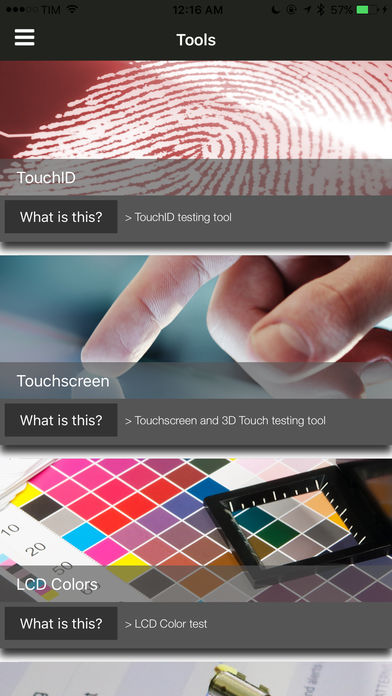
VÍCE O APLIKACI

https://itunes.apple.com/cz/app/lirum-d ... 60734?mt=8
Zjistit, jaký procesor tepe ve vašem iPhonu, lze také přes aplikaci Lirum Device Info Lite, kterou najdete v App Storu a neměla by být pro vaše zařízení potenciálně nijak škodlivá. Kód pod položkou Model odhalí výrobce: N66MAP nebo N71MAP znamená TSMC, N66AP nebo N71AP je Samsung.
http://jablickar.cz/prvni-testy-ukazaly ... ve-vykonu/
Utilities
11.10.2026 05:50
Velikost: 1 GB
Cena: US$ 0
Hodnoceni: 3.99654
od 289 lidí
od 289 lidí
Lirum Labs Technologies Inc.
Lirum Device Info 2 5.3.3
Meet Lirum Info, the ultimate system monitoring and hardware toolkit for your iPhone, iPad, Mac, and Vision Pro. Built for developers, IT professionals, and power users, it’s also friendly for anyone who wants to know their device inside and out. Monitor performance in real time, get detailed hardware insights, and run practical tests – all in one elegant app with more than 55 tools.
Feature list:
Status & Performance
- Benchmark Tool
- CPU and Memory Tools with real-time graphs
- Storage Tool: usage graphs, per-partition details, and automatic detection of external USB/SD/network drives
- Battery Tool
- Thermals Tool with thermal pressure alerts
- Timeline Tool: interactive history of device generations
- PiP Monitor: system metrics in picture-in-picture
Network & Connectivity
- Internet Speed Test with history
- Connection Rate and Throughput monitoring
- Network Interface and Cellular Band details
- Network Scanner, Bonjour browser, and Port Scan for LAN discovery
- Ping, Traceroute, DNS Lookup, and WHOIS
- Routing Table, IP Calculator, Wake-on-LAN, UPnP/DLNA discovery, TLS inspection
- Bluetooth Tool: automatic BLE device discovery with signal strength
- Metrics Client/Server: stream realtime metrics between devices
Sensors & Motion
- Accelerometer, Gyroscope, and Magnetometer
- GPS/Location, Barometer, and Proximity Sensor
- Biometrics Tool (Face ID, Touch ID, Optic ID)
Media & I/O
- Camera Tool
- Video Tool: record or inspect clips with playback, track, and metadata details
- Microphone Tool: real-time input with waveform and amplitude views
- Speaker Tool: audio output and volume level testing
- NFC Read/Write Tools: tag scanning, NDEF parsing, and a saved tags library
- Vibration (haptics) and Flashlight testing
Display & Interaction
- Display Tool: diagonal, resolution, pixel density, refresh rate, color gamut, and connection details for every display, with an immersive globe on Vision Pro
- FPS Tool: confirmed frame-rate measurement and motion comparison at four target rates
- Display Patterns Tool: screen test, dead pixel, and color calibration patterns
- Colors Tool
- Touchscreen Tool
- AR (Augmented Reality) Tool
Utilities & Testing
- AI Assistant: ask about specs, performance, or how to fix problems – grounded in live system information and running fully on-device
- Local AI Model Tool: run LLMs completely offline with the official LiteRT-LM runtime, custom GGUF models, a unified model library, and memory/CPU/performance measurement
- Comparison Tool: side-by-side specs against any iPhone, iPad, Mac, or Vision Pro
- Device Grid Tool: the complete Apple hardware catalog in a searchable, sortable spreadsheet grid, including every Mac
- Manual Test Wizard and a combined device Report
Device information fields: General, Hardware Specs, Display, Camera, Network, and Location.
Also included:
- Home screen widgets in multiple sizes with intelligent refresh scheduling
- Apple Watch companion app: shared metrics, streaming iPhone telemetry, and on-watch sensor mode
- visionOS: spatial computing, immersive space support, 3D object interaction, and hand tracking – add any usdz model from Files to your 3D space
Feature list:
Status & Performance
- Benchmark Tool
- CPU and Memory Tools with real-time graphs
- Storage Tool: usage graphs, per-partition details, and automatic detection of external USB/SD/network drives
- Battery Tool
- Thermals Tool with thermal pressure alerts
- Timeline Tool: interactive history of device generations
- PiP Monitor: system metrics in picture-in-picture
Network & Connectivity
- Internet Speed Test with history
- Connection Rate and Throughput monitoring
- Network Interface and Cellular Band details
- Network Scanner, Bonjour browser, and Port Scan for LAN discovery
- Ping, Traceroute, DNS Lookup, and WHOIS
- Routing Table, IP Calculator, Wake-on-LAN, UPnP/DLNA discovery, TLS inspection
- Bluetooth Tool: automatic BLE device discovery with signal strength
- Metrics Client/Server: stream realtime metrics between devices
Sensors & Motion
- Accelerometer, Gyroscope, and Magnetometer
- GPS/Location, Barometer, and Proximity Sensor
- Biometrics Tool (Face ID, Touch ID, Optic ID)
Media & I/O
- Camera Tool
- Video Tool: record or inspect clips with playback, track, and metadata details
- Microphone Tool: real-time input with waveform and amplitude views
- Speaker Tool: audio output and volume level testing
- NFC Read/Write Tools: tag scanning, NDEF parsing, and a saved tags library
- Vibration (haptics) and Flashlight testing
Display & Interaction
- Display Tool: diagonal, resolution, pixel density, refresh rate, color gamut, and connection details for every display, with an immersive globe on Vision Pro
- FPS Tool: confirmed frame-rate measurement and motion comparison at four target rates
- Display Patterns Tool: screen test, dead pixel, and color calibration patterns
- Colors Tool
- Touchscreen Tool
- AR (Augmented Reality) Tool
Utilities & Testing
- AI Assistant: ask about specs, performance, or how to fix problems – grounded in live system information and running fully on-device
- Local AI Model Tool: run LLMs completely offline with the official LiteRT-LM runtime, custom GGUF models, a unified model library, and memory/CPU/performance measurement
- Comparison Tool: side-by-side specs against any iPhone, iPad, Mac, or Vision Pro
- Device Grid Tool: the complete Apple hardware catalog in a searchable, sortable spreadsheet grid, including every Mac
- Manual Test Wizard and a combined device Report
Device information fields: General, Hardware Specs, Display, Camera, Network, and Location.
Also included:
- Home screen widgets in multiple sizes with intelligent refresh scheduling
- Apple Watch companion app: shared metrics, streaming iPhone telemetry, and on-watch sensor mode
- visionOS: spatial computing, immersive space support, 3D object interaction, and hand tracking – add any usdz model from Files to your 3D space
sharkee
iPhone11Pro + iPAD2018/iPad mini2WiFi + MBP2018TB + MBA2014 + aTV4 + BeatsSOLO3WL + AirPods2019WC
iPhone11Pro + iPAD2018/iPad mini2WiFi + MBP2018TB + MBA2014 + aTV4 + BeatsSOLO3WL + AirPods2019WC
- iPhone expert
- Příspěvky: 1876
- Registrován:
pát lis 25, 2011 11:19 am
Clon | pon lis 23, 2015 2:01 pm
Re: iPhone 6S a 6S Plus - reakcie a skúsenosti
To je taky zajimava aplikace. Snazim se o ni neco dovedet - a asi neumi zobrazit podobne udaje o baterii jako appka predesla. Je tam i nejaky systemovy log - moje otazka na odborniky - dokazu z takoveho logu vycist neco i ja? Treba proc se mi iPad prave restartoval? Asi spis ne,co?
Jinak verze Pro - na strankach pisou, ze byla zatim odstranena ze storu, protoze snad nejak blbne na iOS9. Ja mam 8 a mohl bych ji klidne koupit (ve storu dostupna je). Ze by to bylo prave tim mym iOS???
Jinak verze Pro - na strankach pisou, ze byla zatim odstranena ze storu, protoze snad nejak blbne na iOS9. Ja mam 8 a mohl bych ji klidne koupit (ve storu dostupna je). Ze by to bylo prave tim mym iOS???
iPhone X iOS 13.3, iPad Pro 11" iOS 13.3, ATV 4
(+ starsi kousky iPad 3 (NEW) 64 GB + cellular, iOS 7.1.1 + JB Pangu China, iPhone 5 64 GB, iOS 9.3.3 NO JB, iPad Air + Cellular 128 GB, iOS 9.3.3 NO JB)
(+ starsi kousky iPad 3 (NEW) 64 GB + cellular, iOS 7.1.1 + JB Pangu China, iPhone 5 64 GB, iOS 9.3.3 NO JB, iPad Air + Cellular 128 GB, iOS 9.3.3 NO JB)
- iPhonefil
- Příspěvky: 2670
- Registrován:
stř črc 11, 2012 4:29 pm -
Tomas999 | pon lis 23, 2015 5:04 pm
Re: iPhone 6S a 6S Plus - reakcie a skúsenosti
Takže mi dorazil 3tí iPhone 6S, tentokrát space gray.
Do tretice Samsung chip, TSMC mi asi nie je súdené
Zlícovanie 100% nikde nič nedrhne.
Displej tiež na pohľad v poriadku, škvrny žiadne nevidím.
Do tretice Samsung chip, TSMC mi asi nie je súdené
Zlícovanie 100% nikde nič nedrhne.
Displej tiež na pohľad v poriadku, škvrny žiadne nevidím.
iPhone 6S 64gb Space Grey + black iPhone 6S leather case
- Host
- Příspěvky: 12
- Registrován:
pát úno 11, 2011 8:05 pm
Clon | pon lis 23, 2015 6:11 pm
Re: iPhone 6S a 6S Plus - reakcie a skúsenosti
Gratuluji! 
Tak teď vyměnit po čtvrté a shánět TSMC

Tak teď vyměnit po čtvrté a shánět TSMC
iPhone X iOS 13.3, iPad Pro 11" iOS 13.3, ATV 4
(+ starsi kousky iPad 3 (NEW) 64 GB + cellular, iOS 7.1.1 + JB Pangu China, iPhone 5 64 GB, iOS 9.3.3 NO JB, iPad Air + Cellular 128 GB, iOS 9.3.3 NO JB)
(+ starsi kousky iPad 3 (NEW) 64 GB + cellular, iOS 7.1.1 + JB Pangu China, iPhone 5 64 GB, iOS 9.3.3 NO JB, iPad Air + Cellular 128 GB, iOS 9.3.3 NO JB)
- iPhonefil
- Příspěvky: 2670
- Registrován:
stř črc 11, 2012 4:29 pm -
mike-biker | pon lis 23, 2015 7:56 pm
Re: iPhone 6S a 6S Plus - reakcie a skúsenosti
Já myslím, že je to dost jedno, rozdíl bude skutečně relativně zanedbatelný.
Kdyby jeden telefon vydržel 2 dny a druhý jen necelý den, bylo by to k řešení.
Takto to asi nemá praktický význam.
Ale opravdu nechápu, proč se APPLE nesnaží zdokonalit výdrž.
U iPhone 6 Plus je skvostná, ale u iPhone 6 a 6s zbytečně nižší - proč?
Kdyby jeden telefon vydržel 2 dny a druhý jen necelý den, bylo by to k řešení.
Takto to asi nemá praktický význam.
Ale opravdu nechápu, proč se APPLE nesnaží zdokonalit výdrž.
U iPhone 6 Plus je skvostná, ale u iPhone 6 a 6s zbytečně nižší - proč?
iPhone 11 Pro Max Space Grey
iPhone 6 16GB Silver as reserve
MacBook Pro Retina 15" Mid 2014, i7 4x2,5GHz 16GB RAM 256GB SSD + 256GB Jet Drive.
iPhone 6 16GB Silver as reserve
MacBook Pro Retina 15" Mid 2014, i7 4x2,5GHz 16GB RAM 256GB SSD + 256GB Jet Drive.
- Moderator fóra
- Příspěvky: 3352
- Registrován:
ned říj 09, 2011 12:39 pm - Bydliště: Jesenice
TheSalko | úte lis 24, 2015 9:27 am
Re: iPhone 6S a 6S Plus - reakcie a skúsenosti
Bol som v nedeľu v OD Centrál v predajni Apple, "ošahával" som asi 9 kúskov 6S a bohužiaľ 6 z nich malo niektorú hranu vystúpenú. Ono to nie je veľmi vidno okom, ale stačí prejsť palcom a hneď je jasné.
Každý máme svoju mierku, ako posudzujeme kvalitu, ale toto som u Apple doteraz nezažil. Toto je môj 4. iPhone, ako som už písal vyššie. Ale doteraz som nezažil tak mechanicky odfláknutý model. Je to super telefón a keby bol kvalitne zlícovaný, tak snáď ani nepípnem. Ale mám dojem, že nejaký Samsung za polovičnú cenu má lepšie mechanické zlícovanie ako 6S.
Btw. včera som zažil zaseknutie fotoaparátu, zapol som ho, ostal tam nejaký čudný obrázok a čakal som asi 7 sekúnd, kým začal fungoval.
Každý máme svoju mierku, ako posudzujeme kvalitu, ale toto som u Apple doteraz nezažil. Toto je môj 4. iPhone, ako som už písal vyššie. Ale doteraz som nezažil tak mechanicky odfláknutý model. Je to super telefón a keby bol kvalitne zlícovaný, tak snáď ani nepípnem. Ale mám dojem, že nejaký Samsung za polovičnú cenu má lepšie mechanické zlícovanie ako 6S.
Btw. včera som zažil zaseknutie fotoaparátu, zapol som ho, ostal tam nejaký čudný obrázok a čakal som asi 7 sekúnd, kým začal fungoval.
- Mírně pokročilý

- Příspěvky: 250
- Registrován:
pát říj 30, 2015 8:47 am
 kiso | stř lis 25, 2015 11:20 am
Re: iPhone 6S a 6S Plus - reakcie a skúsenosti
Mechanicky odfláknutý ? Mňa skôr trápia iné veci. Touch ID sa bežne stáva že vôbec nereaguje na dotyky, mám pocit že rýchlosť aj spoľahlivosť postupom času klesla, spomínané GPS si pri chôdzi mestom poskakuje všade možne, stáva sa že keď chcem stlačiť rybičku na zamknutom mobile tak môžem sláčať čo chcem a nepohne sa, spomínaný foťák zvykne zamrznúť. Samotná kvalita fotiek je povedzme že v pohode ale to neplatí pri zníženom svetle, vtedy to dosť zrní. Neviem či je to zlý kus alebo to je normálne a pri iP 5 som bol spokojnejší (touch id nepočítam).
- Host
- Příspěvky: 106
- Registrován:
pát srp 07, 2009 3:27 pm - Bydliště: Rožňava
 Metalgirl | stř lis 25, 2015 6:33 pm
Re: iPhone 6S a 6S Plus - reakcie a skúsenosti
Ha! Tak další, kterému hodně zrní foťák při nižší světelnosti. Oproti iPhonu 5s, který jsem měla, je to opravdu tragédie. Takže nejsem už sama, kdo toto tvrdí. Kiso u mě ten foťák to samé. Ale co se týče touch ID, tak ten mi reaguje pekelně rychle, kolikrát chci jen rozsvítit display a místo toho se mi iPhone odemkne. 3D touch taky funguje ok.
Jsme rádi, že dodržujete PRAVIDLA fóra. Jsi zde nový? PAK ZAČNI ZDE.
- Moderatorka fóra
- Příspěvky: 12966
- Registrován:
pon úno 15, 2010 8:17 pm
Bl4de | čtv lis 26, 2015 7:07 am
Re: iPhone 6S a 6S Plus - reakcie a skúsenosti
Tak jsem se konečně rozhoupal a objednal jsem taky 6s(dorazí v pátek). Na telefon se moc netěším, doufám, že nebudu zase měnit 6x jak iPhone6 . Hlavně aby ta GPS fungovala, protože bez toho jsem v háji.
. Hlavně aby ta GPS fungovala, protože bez toho jsem v háji.iPhone Xs Max 256GB • iOS 12
iPad Air 2 128GB + LTE • iOS 12
Macbook Pro 13 2017 Touch Bar a Touch ID 3,1GHz procesor
Vždy jsem uměl milovat, ale až APPLE mi ukázal pravou lásku!
iPad Air 2 128GB + LTE • iOS 12
Macbook Pro 13 2017 Touch Bar a Touch ID 3,1GHz procesor
Vždy jsem uměl milovat, ale až APPLE mi ukázal pravou lásku!
- Mírně pokročilý
- Příspěvky: 279
- Registrován:
stř zář 23, 2009 10:23 pm
jeenik | čtv lis 26, 2015 8:32 am
Re: iPhone 6S a 6S Plus - reakcie a skúsenosti
GPS s 9.1 v režimu LTE nefunguje. V beta 9.2 jsou zprávy, že je to vychytáno. Zatím jsem betu nezkoušel, čekám na ostrou verzi.
iPhone X 256GB - T-Mobile (iOS 12.x), iPad Pro 10.5 cellular 512GB (iOS 12.x), Apple TV 4, AW 4
- Klub čistého iOS
- Příspěvky: 1109
- Registrován:
ned úno 08, 2009 5:20 am
mirmo80 | čtv lis 26, 2015 8:54 am
Dik
Re: iPhone 6S a 6S Plus - reakcie a skúsenosti
mike, ako ta appka, prosim ta, funguje? Ona nejako stale bezi na pozadi, nezerie to potom samo o sebe bateriu?mike-biker píše:Použil jsem jen jeden zdroj měření - aplikaci CoconutBattery.
Dik
iPhone XS, iPhone 8, iPhone SE, iPad mini 4, iPad Air, iPad 2, AW 3 42/38mm, ATV 4K 64 GB
- iPhonefil
- Příspěvky: 2893
- Registrován:
stř srp 08, 2012 1:00 pm - Bydliště: Poprad
stZ | čtv lis 26, 2015 6:38 pm
Re: iPhone 6S a 6S Plus - reakcie a skúsenosti
Vcera jsem zapnul na 6s+ waze a ani za 5m se mi nechytla gps zkousel jsem restartovat program a nic...pak pomohl komplet restart telefonu, samozrejme v nejlepsi chvilku, kdyz jsem neco hledal to zase vypadlo :/ ja jen doufam, ze to neni HW, ale SW chyba!
iPad 1 Wi-Fi 32 GB , 5.1.1 iOS JB
iPad 3 Wi-Fi 64 GB , 8.4.0 iOS JB
iPad Air 2 Wi-Fi 64 GB, 8.4.0 iOS JB
iPhone 6s Plus 128GB Space Grey
MB Pro, MB White
AW Sport 42mm
iPad 3 Wi-Fi 64 GB , 8.4.0 iOS JB
iPad Air 2 Wi-Fi 64 GB, 8.4.0 iOS JB
iPhone 6s Plus 128GB Space Grey
MB Pro, MB White
AW Sport 42mm
- Mírně pokročilý
- Příspěvky: 295
- Registrován:
stř úno 06, 2008 12:25 am - Bydliště: Praha
rony | čtv lis 26, 2015 7:20 pm
Re: iPhone 6S a 6S Plus - reakcie a skúsenosti
Chcel by som vediet, kde sa daju stiahnut HOTOVE live wallpapers pre iPhone 6S plus, viete o niecom?
/\/\ /\ > /\ / Facebook skupina Uživatelé Apple Watch a fb.com/forum.iphone.cz
mba i7 iPhone 4 5S X iPad Pro Pencil TV4 HomePod WATCH AirPods
mba i7 iPhone 4 5S X iPad Pro Pencil TV4 HomePod WATCH AirPods
- Klub čistého iOS
- Příspěvky: 18993
- Registrován:
pát pro 14, 2007 12:37 am - Bydliště: mám niekde
 zdcerny | čtv lis 26, 2015 9:56 pm
Re: iPhone 6S a 6S Plus - reakcie a skúsenosti
Zatím jsem nic lepšího nenašel, mám placenou verzi a postupně tam přibývají. Kdyby někdo věděl o něčem lepším, rád vyzkouším.
https://itunes.apple.com/cz/app/livemak ... ?l=cs&mt=8
https://itunes.apple.com/cz/app/livemak ... ?l=cs&mt=8
 iP2G, 3G, 3GS, 4, 4S, iP5, iP5C, iP5S, iP6S+, iP7+, iPX, Xs Max 256GB Mac mini, MacBook, MacBook Pro Touch Bar iPod nano, Time Capsule, Apple TV 4, iPad Pro
- Klub čistého iOS
- Příspěvky: 421
- Registrován:
pon črc 14, 2008 6:59 pm - Bydliště: Rakovník
Bl4de | pát lis 27, 2015 1:34 pm
Re: iPhone 6S a 6S Plus - reakcie a skúsenosti
Tak se hlasim iPhone 6s 64gb z apple ofiko, top stav s TSMC cipem a displej takovej jakej jsem nikdy nevidel, krasne bilej i v rozich juchuuuuu!!! Konecne mam stesti jak mam otestovat tu gps?
jak mam otestovat tu gps?iPhone Xs Max 256GB • iOS 12
iPad Air 2 128GB + LTE • iOS 12
Macbook Pro 13 2017 Touch Bar a Touch ID 3,1GHz procesor
Vždy jsem uměl milovat, ale až APPLE mi ukázal pravou lásku!
iPad Air 2 128GB + LTE • iOS 12
Macbook Pro 13 2017 Touch Bar a Touch ID 3,1GHz procesor
Vždy jsem uměl milovat, ale až APPLE mi ukázal pravou lásku!
- Mírně pokročilý
- Příspěvky: 279
- Registrován:
stř zář 23, 2009 10:23 pm
jeenik | pát lis 27, 2015 6:35 pm
Re: iPhone 6S a 6S Plus - reakcie a skúsenosti
se zapnutym LTE za chuze, nejlepe s nejakou appkou co kresli proslou trasu - napr Motionx-gps. na chvili smich prejde [emoji6] ale s 9.2 je to prý ok
iPhone X 256GB - T-Mobile (iOS 12.x), iPad Pro 10.5 cellular 512GB (iOS 12.x), Apple TV 4, AW 4
- Klub čistého iOS
- Příspěvky: 1109
- Registrován:
ned úno 08, 2009 5:20 am
Julek | čtv pro 03, 2015 8:33 pm
Respektujte pravidla, pak si u mě můžete stěžovat na moderátory.

Re: iPhone 6S a 6S Plus - reakcie a skúsenosti
já nevím
já LTE zapnuté mám 9.1 iOS mám, 6S + mám a GPS na pohodu, já naopak doufám ať se mi toaktualizací neposejří
já LTE zapnuté mám 9.1 iOS mám, 6S + mám a GPS na pohodu
, já naopak doufám ať se mi toaktualizací neposejří Respektujte pravidla, pak si u mě můžete stěžovat na moderátory.
- Administrator

- Příspěvky: 9818
- Registrován:
pát říj 12, 2007 9:32 pm - Bydliště: Údlice
jeenik | pát pro 04, 2015 9:50 am
Re: iPhone 6S a 6S Plus - reakcie a skúsenosti
A s jakým typem navigovani máš GPS na pohodu?
iPhone X 256GB - T-Mobile (iOS 12.x), iPad Pro 10.5 cellular 512GB (iOS 12.x), Apple TV 4, AW 4
- Klub čistého iOS
- Příspěvky: 1109
- Registrován:
ned úno 08, 2009 5:20 am
Michal1892 | čtv pro 10, 2015 11:05 am
Re: iPhone 6S a 6S Plus - reakcie a skúsenosti
Nainstalovaná verze 9.2 a GPS pořád stejně špatná. Testován se shodným IP6 a ten neměl jediný problém. Co sem koukal po okolí, tak většina Androidů je na tom ještě hůře, ale že jsem si připlatil za nový a model a funguje hůř než předchozí mě fakt mrzí. Vzhledem ke stále stoupající ceně IP je možná po X letech čas zkusit kunkurenci, uvidíme
- Host
- Příspěvky: 23
- Registrován:
stř pro 08, 2010 4:47 pm -
jeenik | čtv pro 10, 2015 4:29 pm
Re: iPhone 6S a 6S Plus - reakcie a skúsenosti
jak se to konkretne projevuje, ja zatim testoval kratce a zda se to byt dobre...
iPhone X 256GB - T-Mobile (iOS 12.x), iPad Pro 10.5 cellular 512GB (iOS 12.x), Apple TV 4, AW 4
- Klub čistého iOS
- Příspěvky: 1109
- Registrován:
ned úno 08, 2009 5:20 am
hans christian | pát pro 11, 2015 8:54 am
Re: iPhone 6S a 6S Plus - reakcie a skúsenosti
Já používám Waze a žádný problém nevidím,včera jsem jel vlakem asi 80km zkoušel jem Waze , mapy google, mapy apple normálně naviguje a po kolejích, neskáče na silnici jako mě to dělali předchozí telefony.
- Host
- Příspěvky: 6
- Registrován:
čtv říj 29, 2015 5:04 pm
jeenik | sob pro 12, 2015 10:50 am
iPhone 6S a 6S Plus - reakcie a skúsenosti
zkousel jsem s 9.2 zaznam trasy pri chuzi pri LTE a je to v pohode
iPhone X 256GB - T-Mobile (iOS 12.x), iPad Pro 10.5 cellular 512GB (iOS 12.x), Apple TV 4, AW 4
- Klub čistého iOS
- Příspěvky: 1109
- Registrován:
ned úno 08, 2009 5:20 am
mirmo80 | pon pro 14, 2015 7:01 pm
Re: iPhone 6S a 6S Plus - reakcie a skúsenosti
Prosim vas, ako funguje rychly pristup pri spravach? Telefon som pochopil, ze ludi, ktorych mam v oblubenych, tak prvi traja su v rychlej ponuke. Ale co spravy? Napr. teraz som vymenil s mazelkou par sprav a v rychlom pristupe je stale kolega, s ktorym som si pisal dost davno. Dalsi dvaja ludia v ponuke sedia, su posledni, s ktorymi som komunikoval.
iPhone XS, iPhone 8, iPhone SE, iPad mini 4, iPad Air, iPad 2, AW 3 42/38mm, ATV 4K 64 GB
- iPhonefil
- Příspěvky: 2893
- Registrován:
stř srp 08, 2012 1:00 pm - Bydliště: Poprad
rony | pon pro 14, 2015 7:44 pm
Re: iPhone 6S a 6S Plus - reakcie a skúsenosti
telefon vie lepsie, kto ti je blizsi ;-)
/\/\ /\ > /\ / Facebook skupina Uživatelé Apple Watch a fb.com/forum.iphone.cz
mba i7 iPhone 4 5S X iPad Pro Pencil TV4 HomePod WATCH AirPods
mba i7 iPhone 4 5S X iPad Pro Pencil TV4 HomePod WATCH AirPods
- Klub čistého iOS
- Příspěvky: 18993
- Registrován:
pát pro 14, 2007 12:37 am - Bydliště: mám niekde
mirmo80 | pon pro 14, 2015 8:14 pm
iPhone 6S a 6S Plus - reakcie a skúsenosti
Aha, tak to je super, lebo jedna z tych dvoch osob je celkom sympaticka byvala spoluziacka [emoji6]
iPhone XS, iPhone 8, iPhone SE, iPad mini 4, iPad Air, iPad 2, AW 3 42/38mm, ATV 4K 64 GB
- iPhonefil
- Příspěvky: 2893
- Registrován:
stř srp 08, 2012 1:00 pm - Bydliště: Poprad
Jadro | úte pro 15, 2015 12:43 am
Re: iPhone 6S a 6S Plus - reakcie a skúsenosti
Ja myslim, ze to je nejak podle cernosti vyuziti. Jak casto ten kontakt pouzivas a kolik sms posles. Ale je to jen jakysi muj odhad podle toho, co mi nabizi za moznosti
- iPhoneHolik

- Příspěvky: 2350
- Registrován:
pát bře 30, 2012 5:37 pm
mirmo80 | úte pro 15, 2015 7:05 am
Re: iPhone 6S a 6S Plus - reakcie a skúsenosti
Ked prave podla toho mi to nevychadza. Je tam ten, s kym komunikujem menej a nie naopak.
iPhone XS, iPhone 8, iPhone SE, iPad mini 4, iPad Air, iPad 2, AW 3 42/38mm, ATV 4K 64 GB
- iPhonefil
- Příspěvky: 2893
- Registrován:
stř srp 08, 2012 1:00 pm - Bydliště: Poprad
jeenik | stř pro 16, 2015 8:20 pm
Re: iPhone 6S a 6S Plus - reakcie a skúsenosti
Taky máte při prvním slově při hovoru jeho ozvěnu?
iPhone X 256GB - T-Mobile (iOS 12.x), iPad Pro 10.5 cellular 512GB (iOS 12.x), Apple TV 4, AW 4
- Klub čistého iOS
- Příspěvky: 1109
- Registrován:
ned úno 08, 2009 5:20 am
cleo.25.gr | čtv pro 17, 2015 11:22 am
Re: iPhone 6S a 6S Plus - reakcie a skúsenosti
Mám otázku ohľadom zapinacej obrazovky.
Máte viacerí zapinaciu obrazovku naopak? To znamená že keď zapnete Iphone tak je obrazovka čierna a jablko biele.
Máte viacerí zapinaciu obrazovku naopak? To znamená že keď zapnete Iphone tak je obrazovka čierna a jablko biele.
iPhone X
- Mírně pokročilý
- Příspěvky: 243
- Registrován:
úte led 21, 2014 12:53 pm
 Manek49 | čtv pro 17, 2015 11:29 am
Re: iPhone 6S a 6S Plus - reakcie a skúsenosti
Jakou barvu iPhonu máš?
- Pokročilý uživatel

- Příspěvky: 573
- Registrován:
čtv lis 14, 2013 6:23 pm - Bydliště: Horní Branná
Anndy | čtv pro 17, 2015 11:38 am
Pri space gray variante, starsich ciernych je to tak. Pri bielych varaintach je to opacne - biele pozadie, cierne jablko.
Re: iPhone 6S a 6S Plus - reakcie a skúsenosti
cleo.25.gr píše:Mám otázku ohľadom zapinacej obrazovky.
Máte viacerí zapinaciu obrazovku naopak? To znamená že keď zapnete Iphone tak je obrazovka čierna a jablko biele.
Pri space gray variante, starsich ciernych je to tak. Pri bielych varaintach je to opacne - biele pozadie, cierne jablko.
iPhone 11Pro Silver 64GB, Telekom SK, bez JB
WATCH 44mm oceľové, Series 4, GPS+LTE
iPad mini 5, 64GB, wifi, SG
MBPro 13" 2018, i5, 16GB, 1TB SSD, Space Grey
WATCH 44mm oceľové, Series 4, GPS+LTE
iPad mini 5, 64GB, wifi, SG
MBPro 13" 2018, i5, 16GB, 1TB SSD, Space Grey
- Klub čistého iOS
- Příspěvky: 1933
- Registrován:
úte lis 09, 2010 1:04 pm - Bydliště: Bratislava
cleo.25.gr | čtv pro 17, 2015 11:41 am
Re: iPhone 6S a 6S Plus - reakcie a skúsenosti
Mám SG. To by ma nenapadlo že to súvisí s farbou. Je pravda ze doteraz som mal iba biele a zlate varianty.
Ďakujem
Ďakujem
iPhone X
- Mírně pokročilý
- Příspěvky: 243
- Registrován:
úte led 21, 2014 12:53 pm
Anndy | čtv pro 17, 2015 12:33 pm
Re: iPhone 6S a 6S Plus - reakcie a skúsenosti
Tak aby to ladilo, nie? 
iPhone 11Pro Silver 64GB, Telekom SK, bez JB
WATCH 44mm oceľové, Series 4, GPS+LTE
iPad mini 5, 64GB, wifi, SG
MBPro 13" 2018, i5, 16GB, 1TB SSD, Space Grey
WATCH 44mm oceľové, Series 4, GPS+LTE
iPad mini 5, 64GB, wifi, SG
MBPro 13" 2018, i5, 16GB, 1TB SSD, Space Grey
- Klub čistého iOS
- Příspěvky: 1933
- Registrován:
úte lis 09, 2010 1:04 pm - Bydliště: Bratislava
marcus50 | úte pro 22, 2015 1:17 pm
Re: iPhone 6S a 6S Plus - reakcie a skúsenosti
Ahoj, taky máte u iPhone 6S (Plus) drobné částečky prachu na vnitřní straně sklíčka kamery? Jde to hlavně vidět na slunci nebo u nějakého zdroje světla. Zatím jsem se s tím u žádného telefonu nesetkal. Kdybych v tom byl sám, ta asi půjdu do výměny telefonu...
EDIT:
Byl jsem se podívat v iStyle a všechny iP6 a výš na safírovém sklíčku neměli ani smítko, takže měním. To je fakt ostudná kvalita za ty peníze.
EDIT:
Byl jsem se podívat v iStyle a všechny iP6 a výš na safírovém sklíčku neměli ani smítko, takže měním. To je fakt ostudná kvalita za ty peníze.
- Host
- Příspěvky: 15
- Registrován:
pon lis 14, 2011 6:44 pm - Bydliště: Ostrava
Kdo je online
Uživatelé procházející toto fórum: Žádní registrovaní uživatelé